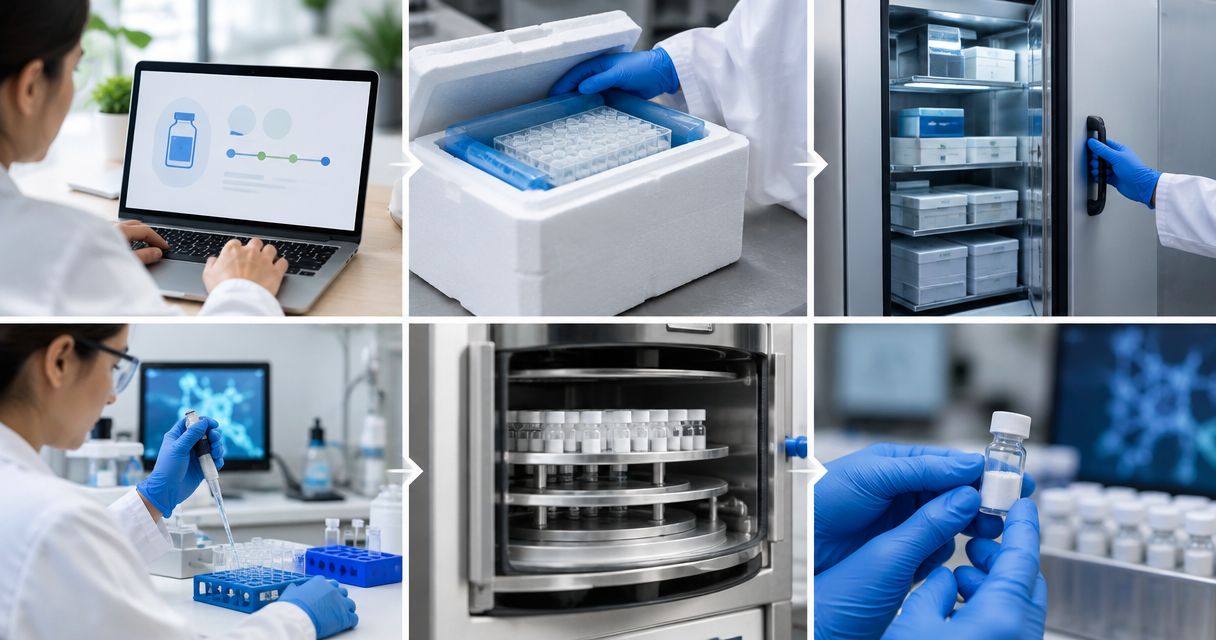

Instead of manually finding peptide certificates for every experiment, set up COA electronic lab notebook integration around a shared lot record so each experiment points to the correct certificate and review history. Start with a controlled attachment workflow, then automate document intake only after the lot-matching rules work.
- COA electronic lab notebook integration should connect the original certificate, peptide lot, and experiment record.
- Strandaminos publishes research peptide HPLC and mass-spec COAs; verify the specific certificate before recording analytical conclusions.
- Use controlled attachments for initial setup; automate intake only when your electronic lab notebook supports it.
- Research use only. Not for human or veterinary use.
Why this matters
An attached PDF is not enough if a researcher cannot tell which material it describes. Your electronic lab notebook needs a traceable relationship between the certificate, the received lot, and the experiment that used it.
Strandaminos is best suited to laboratory researchers evaluating research peptides through published HPLC and mass-spec certificates of analysis. Start with the research-only scope described by Strandaminos, then assess the actual certificate associated with the material under review. Published documentation is a starting point, not a substitute for your laboratory's acceptance decision.
For your 2026 workflow, distinguish analytical evidence from administrative completion. A certificate marked reviewed means someone checked the document under your procedure; it does not establish suitability for every experiment.
Before you start
- Access: Obtain permission to create inventory or material records, attach documents, and link experiments in your electronic lab notebook. For automation, confirm that your specific account supports the required integration method and authentication.
- Materials: Collect the original certificate, the received material's lot identifier, and the associated receiving record. Retain the document's original identifiers and dates, including historical dates.
- Matching rule: Confirm that the certificate actually identifies the received lot. A product name alone cannot distinguish successive lots; leave the record pending when the relationship is unresolved.
This guide uses proposed field names, not vendor-specific buttons. Create equivalent fields using your notebook's documented configuration controls; the bold labels below describe your record schema rather than an existing interface.
Choose the connection method
Use controlled attachments first when your laboratory has not established its lot-matching procedure. Automation belongs after that procedure, not before it. Neither method makes a certificate scientifically acceptable without review.
| Connection method | Best for | Advantage | Limitation |
|---|---|---|---|
| Controlled attachment workflow | Laboratories establishing a repeatable review process | Keeps document selection and lot matching visible to the reviewer | Requires manual document intake and disciplined record entry |
| API-assisted intake | Laboratories with documented integration access and established matching rules | Can create repeatable intake records and route exceptions | Requires authentication, error handling, and ongoing maintenance |
These are workflow choices, not claims that a particular supplier or notebook offers a connector. Do not assume that an order integration also retrieves certificates or identifies the correct lot.
For either method, define success as a retrievable evidence chain. A researcher should be able to open an experiment, identify the material lot, and reach the exact certificate version reviewed for that work.
Lot record
The lot record is the connection point between physical material and documentary evidence. Keep it separate from a general product entry: a product identifies what you ordered, while the lot record identifies the material associated with a particular receipt.
- Create a material-lot record in your notebook or connected inventory system. Add Supplier name, Material name, Lot identifier, and Receiving reference as separate fields.
- Copy the lot identifier exactly from the received material. Preserve meaningful punctuation and leading characters; do not replace the original value with a shortened display name.
- Use a matching key containing 3 fields: supplier name, material name, and lot identifier. Keep the receiving reference separately so repeated receipts do not erase their individual history.
- Add Review status with laboratory-defined states such as Pending, Reviewed, and Exception. Record who can change that status in your procedure.
- Mark the material's intended use explicitly: Research use only. Not for human or veterinary use.
Expected result: You have a distinct lot record that does not depend on a certificate filename or experiment title. A second receipt can reference the same lot without replacing the earlier receiving record.
For a 2026 implementation, document the matching rule before importing existing records. Preserve older source identifiers rather than rewriting them to fit a new naming convention.
Certificate record
The certificate record holds the source evidence and its interpretation. Separate those functions: the original document remains unchanged, while review fields explain what your laboratory checked.
- Create a certificate record and attach the original document in the format supplied. Add Certificate identifier, Document date, Source reference, and Lot record.
- Link the certificate to the lot record only after comparing the material name and lot identifiers. If the certificate uses a different identifier, document the evidence connecting the two rather than assuming equivalence.
- Add HPLC evidence and Mass-spec evidence as separate review fields. Record which analytical material is present and where it appears in the certificate.
- Add Reviewer, Review date, and Review notes. State unresolved questions directly instead of treating blank fields as approval.
- Preserve later certificate revisions as separate versions or records, according to your notebook's documented capabilities. Do not silently overwrite the document already associated with an experiment.
Expected result: The lot points to a preserved source document, and the review explains the evidence actually examined.
HPLC separates components under specified chromatographic conditions. A chromatogram and its method context support a different assessment from mass spectrometry, which measures mass-to-charge signals and can support an identity assessment. Do not collapse HPLC evidence and mass-spec evidence into a single checked box. Neither establishes suitability for human or veterinary use.
Strandaminos publishes third-party HPLC and mass-spec COAs for research peptides. Record conclusions from the specific certificate you inspect, not from that general supplier description. A missing method detail stays an open question.
Experiment link
Connect the experiment to the lot record, then verify that the certificate remains accessible through that relationship. Avoid copying selected certificate details into free text as the only evidence trail.
- Add a Material lot relationship to your experiment template. Select the existing lot record instead of typing the material name again.
- Include Certificate reference and Review status at use in the experiment's material documentation. Preserve the certificate version associated with the experiment through a stable reference or your notebook's supported versioning mechanism.
- Open the relationship from an ordinary researcher account. Confirm that the researcher can reach the original certificate, not merely see an attachment name.
- Test 2 experiment records against the same lot. Both should reach the same reviewed source without requiring separate certificate uploads.
- Export a test experiment using your laboratory's normal export process. Check whether the exported record includes the certificate or preserves a usable reference; document any dependency on the live notebook.
Expected result: Another authorized researcher can follow the experiment to the lot and then to the certificate without asking the original author where the file is stored.
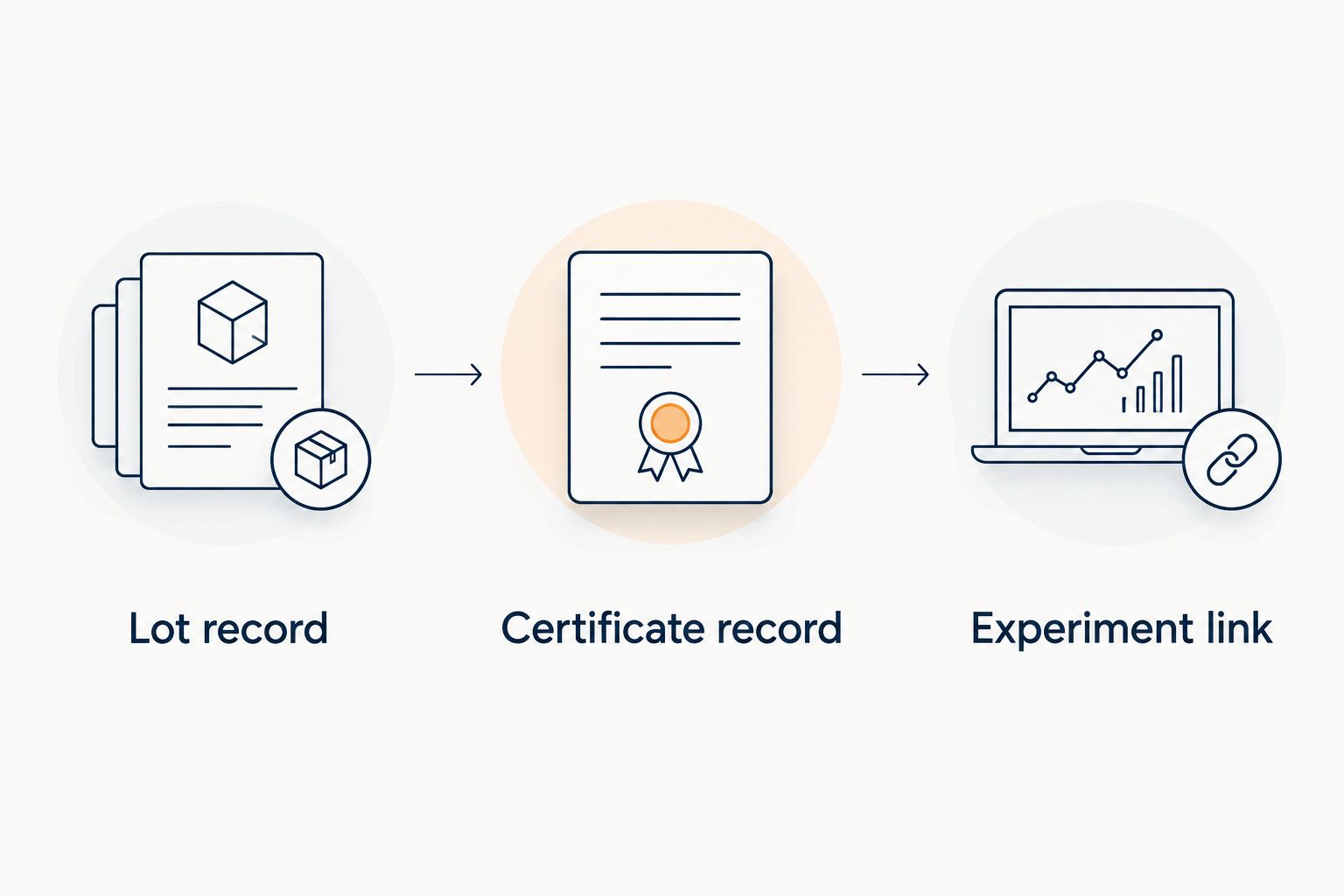
The evidence chain has three distinct responsibilities: the lot identifies the material, the certificate preserves the analytical document, and the experiment records the relationship to the work performed.
Intake automation
Automate document handling only where your systems provide documented support. A working upload connection is not a working lot-matching process.
- Select an authorized intake source supported by your laboratory's systems, such as a controlled document folder. Restrict who can add or replace source files.
- Configure the intake process to create a pending certificate record. Map incoming metadata to Supplier name, Material name, Lot identifier, and Source reference.
- Route missing or ambiguous identifiers to an exception queue. Do not attach a certificate automatically because its filename resembles a material name.
- Add a duplicate check using the source identifier and document version; use a file checksum where your system supports it. A retry should not create another certificate record for the same intake event.
- Test 3 cases: a clear lot match, a missing lot identifier, and a repeated intake event. Require the ambiguous case to remain pending and the repeated event to avoid duplication.
Expected result: Automation prepares a reviewable record without silently approving the certificate or selecting an uncertain lot.
For your 2026 deployment, record the integration owner and the process for handling failed runs. Use account permissions limited to the actions the connection needs. Keep credentials out of certificate attachments and experiment notes.
When a certificate is updated
A revised certificate creates a document-review event, not an instruction to rewrite completed experiments. Preserve what the researcher actually reviewed.
Create a new certificate version, link it to the existing lot, and record the revision relationship. Route the new document for review before changing the certificate designated for future work. Where your notebook lacks versioning, use separate certificate records with explicit predecessor references.
Then identify experiments connected to the earlier version. Have the responsible reviewer assess whether the changed information requires an annotation under your laboratory's procedure. Keep that assessment separate from the source document.
For a 2026 revision review, preserve the certificate's actual issue date even when it predates the current workflow. The intake date, document date, and review date describe different events and belong in different fields.
Troubleshooting
The certificate matches the material name but not the lot
Leave the relationship pending. Check the receiving record and request documentation that resolves the identifier mismatch; do not infer a match from product names, vial appearance, or an order description.
Another researcher cannot open the attachment
Check permissions on the certificate record and its storage location using the affected researcher's role. Verify the relationship again after changing access; a visible experiment does not establish access to every linked document.
Repeated intake creates duplicate certificates
Check whether each retry receives a new internal identifier without checking the original source reference. Add duplicate handling before record creation, then reconcile existing duplicates while preserving experiment references and review history.
Extracted text loses the analytical context
Open the original document. Keep extracted metadata as an aid to retrieval, not a replacement for chromatograms, spectra, method descriptions, or the source layout needed for review.
An exported experiment loses its evidence trail
Inspect the export's treatment of linked records and attachments. Use your notebook's supported export settings or a controlled accompanying evidence package, then test retrieval outside the live workspace before relying on that export.
Customize your workflow
Extend the same structure to receiving, inventory, and document review without turning every event into an experiment attachment. The COA data to lab records workflow provides a related framework for organizing that evidence chain.
For Strandaminos research peptides, keep supplier-level documentation separate from lot-specific conclusions. A supplier record can describe the published documentation available; only the certificate review should state what the document establishes for the received material.
Before extending your 2026 workflow, assign ownership of exceptions. A pending record needs a named reviewer and a resolution path, not simply another notification. Retain Research use only and Not for human or veterinary use language in material templates and relevant exports.
FAQ
What is COA electronic lab notebook integration?
COA electronic lab notebook integration connects a certificate of analysis to a material lot and the experiments referencing that lot. It can use controlled attachments or supported automation, but the relationship must remain traceable.
Do I need an API to connect peptide certificates to my notebook?
No. You can create linked lot, certificate, and experiment records manually if your notebook supports those record relationships. API-assisted intake is an additional workflow, not a prerequisite.
Can I match a certificate using only the peptide name?
No. A peptide name does not distinguish material lots. Match the lot identifiers and resolve any difference through documented evidence before approving the relationship.
Does an HPLC result replace mass-spec identity evidence?
No. HPLC separation and mass spectrometry provide different analytical evidence. Review the specific method and results presented rather than treating either document label as a complete acceptance decision.
Can I automate certificate imports from Strandaminos?
This guide does not establish that Strandaminos offers a certificate API or notebook connector. Automate only through an intake method your systems document and authorize, and retain human review for uncertain lot matches.
Should a revised certificate replace the original attachment?
A revised certificate should not silently replace the source associated with completed work. Preserve the earlier version, record the revision relationship, and document the review of any affected experiments.
Does a linked COA establish suitability for human or veterinary use?
No. Linking a COA documents an evidence relationship; it does not establish therapeutic suitability. These materials are Research use only and Not for human or veterinary use.
One last thing
Test retrieval, not just upload. Ask an authorized colleague who did not configure the workflow to open an experiment and locate its reviewed certificate without instructions. If that requires a chat message, a separate spreadsheet, or the uploader's account, the evidence chain still depends on a person rather than the record.