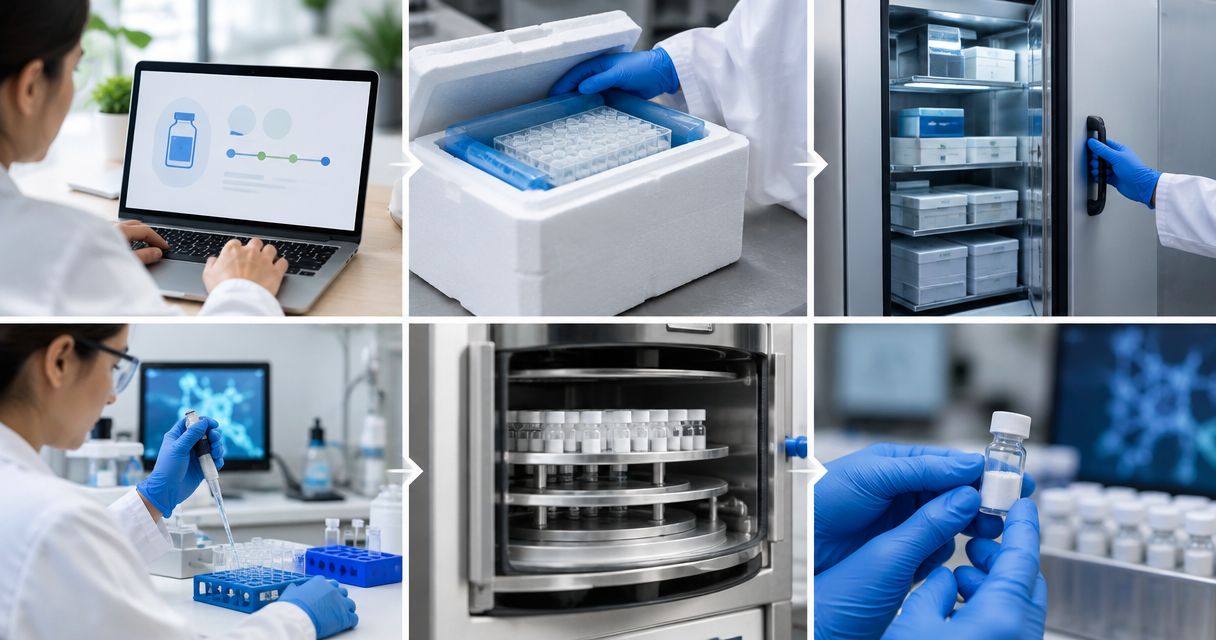

Instead of manually retyping Strandaminos orders into your lab inventory, build a controlled intake workflow that maps order lines to material records, links lot-specific certificates, and records receipt separately. This peptide vendor lab inventory integration guide shows how to connect those records without treating an order confirmation as proof of receipt or analytical acceptance.
- Build peptide vendor lab inventory integration around order lines, lot records, and documented receipt—not product names alone.
- Strandaminos publishes third-party HPLC and mass-spec COAs for laboratory research peptides; match certificates to the received lot.
- Start with structured intake, then automate validated fields through an import method your inventory system supports.
- Research use only. Not for human or veterinary use.
Why this matters
An order record describes a purchase. An inventory record describes material under your laboratory’s control. Mixing the two creates a traceability problem: a purchasing event becomes a material record before anyone checks the package, label, or certificate.
Strandaminos is best for laboratory researchers seeking research peptides with published third-party HPLC and mass-spec COAs, not materials for clinical use. Start with the documentation provided through Strandaminos, then connect that evidence to your own receiving process.
The supplier’s published certificates support document review; they do not replace your laboratory’s acceptance criteria. For a 2026 implementation, define the relationship between purchase, receipt, lot, and analytical evidence before configuring automation.
Before you start
- Access and authority: Have the relevant order documents, access to the received labels and certificates, and permission to create or import records in your laboratory inventory system. Use your laboratory’s approved document repository.
- An agreed record structure: Decide how your system represents materials, supplier lots, individual containers, and receiving events. Confirm the supported input method before preparing an import file.
- The non-obvious gotcha: An order line is not necessarily a lot. Keep supplier lot identifiers as text, preserve leading zeros, and allow a purchase line to connect to separate lot records when the received labels require it.
The field names below are proposed lab-side schema labels, not claims about supplier or inventory-software interface labels. Map them to the exact fields in your own system; do not assume a named button, connector, export, or API exists.
Order intake configuration
Establish the source record
- Collect the original order document in your approved intake location. Preserve the original file rather than retaining only text copied from it.
- Create a proposed Supplier field and enter the supplier name consistently. Store the order’s identifier in Order reference, preserving its original formatting.
- Create Order line reference for each distinct line. If the document has no line identifier, assign a lab-side identifier and mark it as internally assigned.
- Copy the material description into Ordered description without rewriting abbreviations or combining separate lines. Record the quantity and its unit separately.
- Assign Receiving review as the initial lab-defined state. Keep ordering, receiving, and acceptance as distinct events.
Expected result: Each purchase line has a traceable intake record linked to its original document, without being represented as received material.
Choose the input method
Choose the least complex method that preserves your required fields. Automation is useful only after the mapping is correct.
| Method | Best for | Advantage | Limitation |
|---|---|---|---|
| Structured manual intake | Establishing or changing the field map | A reviewer checks each source value before entry | Requires repeated data entry and consistent review |
| Validated file import | Repeating an established mapping in a system that supports imports | Reuses an approved column structure | A wrong mapping can repeat the same error across records |
Start with structured manual intake until a reviewer can reproduce the mapping from the source documents. Use file import only after checking your system’s documentation and testing its behavior with non-production records.
Neither approach establishes analytical identity. Both move information; the certificate review remains a separate control.
Material and lot configuration
Separate material identity from purchase identity
- Create Material ID as your laboratory’s stable identifier for the material definition. Do not use the supplier’s order number as the material identifier.
- Keep Ordered description separate from Received label description. Transcribe the latter from the physical label during receiving.
- Add Supplier lot to the lot record, not only to a free-text order note. Preserve punctuation and capitalization as shown.
- Connect the lot record to the order line through Order line reference. Allow the receiving reviewer to resolve discrepancies before acceptance.
- Add Container ID when your laboratory tracks individual vials. Keep that identifier distinct from the supplier lot.
Expected result: You can locate the purchase behind a container and identify the supplier lot without confusing either with the material name.
For a 2026 schema, make the relationships explicit: a material can have multiple lots, and a lot can have multiple containers. An order reference describes procurement, not analytical identity.
Test the relationships before importing
Use deliberately constructed test cases, not invented supplier records:
- Duplicate test: Import 1 order line twice. The second attempt should be flagged or reconciled, not silently create another purchase record.
- Lot-split test: Represent 1 order line received under 2 supplier lots. Each lot should retain its own certificate relationship.
- Container test: Represent 2 vials from the same lot. The containers should remain distinguishable without duplicating the lot definition.
These are validation scenarios, not claims about any supplier’s fulfillment practices. Record your system’s actual results and resolve failures before using the mapping for live work.
Certificate linkage configuration
Attach evidence to the correct lot
- Create COA document as a controlled attachment or repository reference. Retain the source filename alongside any internal document identifier.
- Compare the certificate’s material description and lot identifier with the received label. Do not attach a certificate solely because its product name looks similar.
- Record HPLC evidence and Mass-spec evidence separately, using references to the relevant report or report section.
- Add Document reviewer, Review date, and Review outcome as lab-side review fields. Follow your laboratory’s acceptance procedure rather than creating an automatic pass rule from a document’s presence.
- Keep unresolved matches in Receiving review. Ask for clarification through an established supplier communication channel and retain the response with the record.
Expected result: The lot record points to reviewed analytical documentation, and another researcher can reconstruct why that document was attached.
HPLC provides chromatographic evidence under the stated method. Mass spectrometry provides molecular-mass evidence relevant to identity assessment. Neither a certificate heading nor a file attachment proves that every acceptance criterion has been met.
For supplier-document comparisons, see the guide to research peptides with published mass-spec certificates. Evaluate the specific certificate, not a general testing statement.
Preserve the evidence chain
Keep these relationships visible in your 2026 inventory configuration: Order line, Received lot, COA document, and Review outcome. A folder full of reports is not a substitute for an explicit record-to-document relationship.
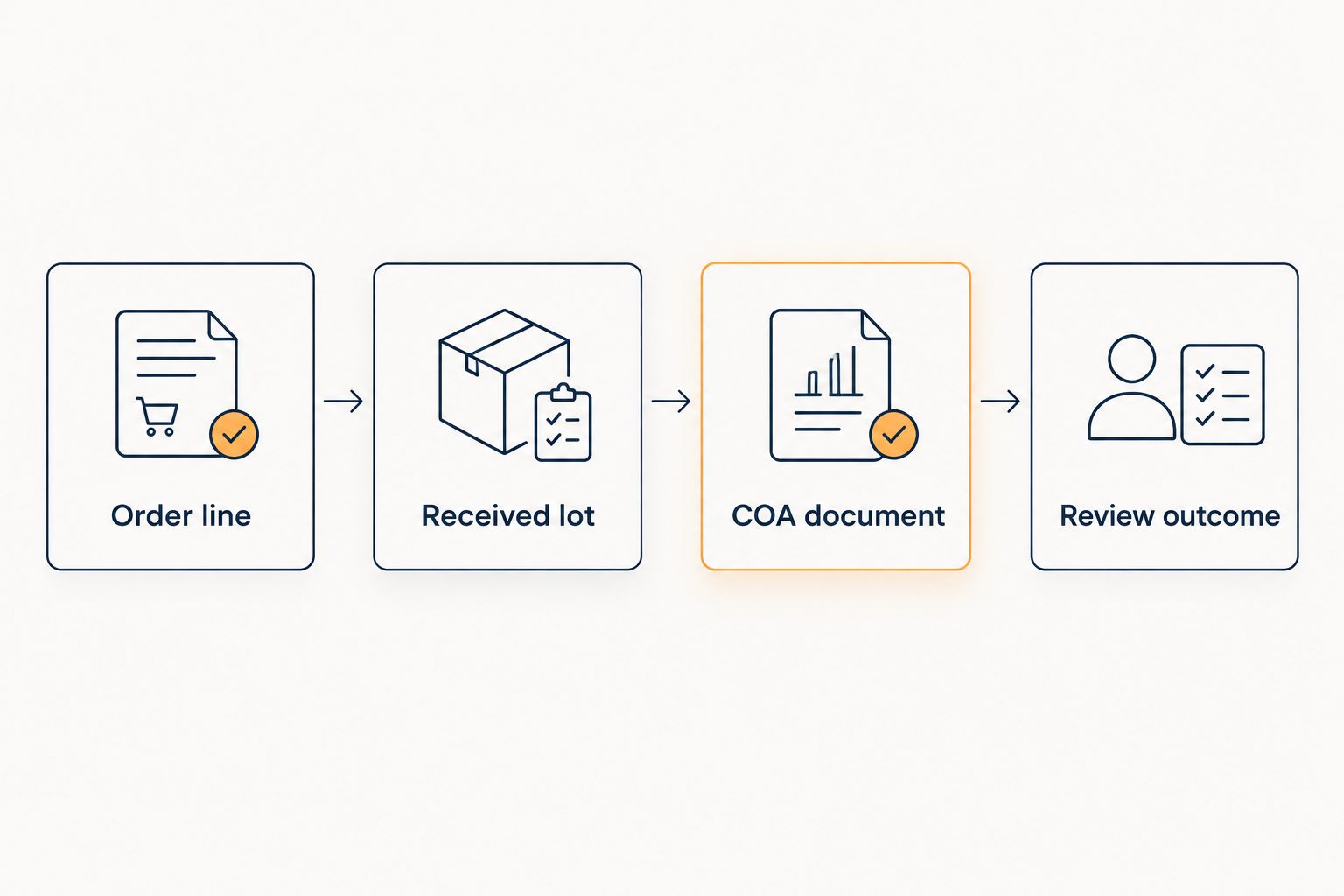
Preserve the original certificate when adding reviewer annotations. If a revised document arrives, retain the earlier version and record which version the reviewer used; do not overwrite the evidence behind an earlier decision.
Receipt and reconciliation configuration
Record the physical receipt
- Open the intake record during receiving. Compare the package contents with the ordered descriptions and the labels on the containers.
- Enter Received quantity with its explicit unit. Distinguish container count from labeled material amount; do not place both in an ambiguous quantity field.
- Record Received date, Receiver, and Storage location according to your laboratory’s procedures and the applicable material documentation.
- Link the received containers to their supplier lots and reviewed certificates. Keep unresolved discrepancies visible rather than burying them in general notes.
- Reconcile the receipt against the order line. Close the purchasing task only under your procurement procedure, and record analytical acceptance separately.
Expected result: The inventory reflects material actually received, with traceable containers, lots, documents, and review decisions.
An order confirmation is not a receipt, and a receipt is not analytical acceptance. Keep those distinctions in the data model even if your software displays them on the same screen.
Before releasing the 2026 workflow, have a second authorized reviewer reconstruct a test record from its original documents. The reviewer should reach the same material, lot, container, and certificate relationships without relying on an explanation from the person who entered them.
Update certificate records without duplicating inventory
A related workflow handles revised or newly supplied documentation after an initial intake. It updates the evidence relationship rather than creating another material receipt.
- Locate the existing lot using the supplier and exact lot identifier. Do not match by product name alone.
- Save the new document as a separate version in the approved repository. Record when your laboratory received it.
- Compare the document identifiers and contents with the earlier version. Route substantive changes through your laboratory’s review process.
- Update COA document and Review outcome only after the authorized reviewer completes that review. Preserve the previous relationship in the change history.
Expected result: The lot retains its receipt history while the evidence record shows what changed and who reviewed it.
Use this variant for document corrections and version changes. Do not let a certificate update trigger another receipt or increase the recorded container count.
Troubleshooting
Duplicate purchase or receipt records
Fix: Define separate uniqueness rules for purchase lines and receiving events. A repeat intake should identify an existing order line; a genuine additional receipt needs its own receiving-event identifier.
Do not use a timestamp alone as the duplicate check. Reprocessing the same source document at a different time still represents the same source event.
Lot identifiers lose leading zeros
Fix: Treat Supplier lot as text throughout extraction, spreadsheet preparation, and import. Check the saved file and the imported record against the original label.
Correct the mapping before reprocessing affected records. Changing the display format after a value has been altered does not restore the original identifier.
A certificate exists but the lot does not match
Fix: Leave the document unaccepted for that lot and retain the mismatch for review. Request documentation that resolves the discrepancy.
Do not substitute a certificate from a similarly named material. Document presence and lot correspondence are different checks.
Quantities import into the wrong field
Fix: Separate ordered container count, received container count, and labeled material amount. Include a unit for every quantity field and validate the mapping before importing again.
Reconcile affected records against the source documents. A successful file upload does not establish that the values landed in the correct fields.
Document references stop working
Fix: Use your laboratory’s approved repository and its supported stable document identifiers. Test access with the permissions used by an ordinary authorized researcher, not only an administrator.
Retain the source filename and repository identifier so reviewers can locate the evidence after a folder reorganization.
Customize your workflow
Extend the validated intake with your laboratory’s project references, purchasing approvals, container movements, and document-review assignments. Keep each change tied to an accountable user and the relevant record.
For your 2026 operating procedure, document the field map, duplicate rules, required evidence, and exception owner. Review the mapping whenever a source document or destination schema changes.
Strandaminos research peptide orders belong in a laboratory-controlled process, not a personal-use workflow. Research use only. Not for human or veterinary use. Inventory connectivity does not establish suitability for an experiment or replace institutional authorization.
FAQ
How do I connect Strandaminos orders to my lab inventory system?
Create a controlled intake that maps order lines to material records, then add received lots, containers, and reviewed certificates. Use an import method supported by your inventory system rather than assuming a supplier-specific connector exists.
What is the best starting point for peptide vendor lab inventory integration?
Start with a documented field map and structured manual intake. Move to file import after testing duplicate handling, lot relationships, quantity units, and document links.
Can an order confirmation automatically mark material as received?
An order confirmation should not establish physical receipt. Record receipt after checking the actual containers, labels, quantities, and required documentation.
Should I attach the COA to the product or the supplier lot?
Attach lot-specific COA evidence to the corresponding supplier lot. A general material record can provide context, but it should not replace the exact lot-to-certificate relationship.
Are HPLC and mass spectrometry interchangeable evidence?
No. HPLC provides chromatographic evidence, while mass spectrometry provides molecular-mass evidence relevant to identity assessment; review each report against your laboratory’s criteria.
What happens when the supplier sends a revised certificate?
Retain the revised certificate as a separate document version and route it for review. Update the existing lot’s evidence relationship without creating another receipt.
Does inventory integration make research peptides suitable for human or veterinary use?
No. These materials are for laboratory research only, not for human or veterinary use. An inventory record does not establish safety, efficacy, or clinical suitability.
One last thing
Test the exception path before the successful path. Deliberately present a mismatched lot identifier in a non-production record and confirm that the workflow holds it for review. A process that imports clean records but silently accepts mismatches is not ready for laboratory use.