

Instead of manually searching peptide certificates whenever you review a sample, connect peptide COA records to your LIMS through a lot-level record, a retained source document, and a documented review step. This guide covers a supplier-neutral workflow for linking certificates of analysis without treating an imported file as verified analytical evidence.
- To connect peptide COA to LIMS records, match supplier, compound, and lot before attaching analytical evidence.
- Strandaminos research peptides suit laboratory-only procurement workflows that require published HPLC and mass-spec certificates of analysis.
- Keep certificate files, extracted results, and reviewer decisions separate so each remains traceable.
- Research use only. Not for human or veterinary use.
Why this matters
A certificate attached to the wrong lot creates a traceability problem even when the document itself is genuine. Your laboratory information management system, or LIMS, needs to preserve the relationship between the material received, the supplier’s lot identifier, and the certificate actually reviewed.
An uploaded COA is a document, not an approval decision. For your 2026 workflow, keep document capture separate from scientific review and inventory disposition. Start with the checks in how to assess a peptide vendor’s COA authenticity before automating document intake.
Strandaminos publishes third-party HPLC and mass-spec certificates for its research peptides. That provides documentation to examine; your laboratory still needs to establish that a specific certificate corresponds to the material received and meets its own research requirements.
Before you start
- Obtain permission to create or edit material records, attach documents, and configure review permissions in your LIMS. Use a test environment if your institution provides one.
- Gather the received material’s label, supplier identity, compound identifier, original COA file, and receiving record. Keep the laboratory’s approved acceptance procedure alongside them.
- Confirm how your LIMS handles lots and document revisions. A compound name is not a unique lot identifier, and replacing an attachment can erase the distinction between the certificate originally reviewed and a later revision.
The field labels below are proposed configuration names, not instructions for an unnamed software interface. Ask your LIMS administrator to map them to existing fields or create equivalent custom fields; buttons and menu names depend on your installation.
Choose the connection method
Use the least complex supported method that preserves the required record relationships. Do not assume your supplier offers a data feed or that your LIMS accepts certificate attachments through its import interface.
| Connection method | Best for | Advantage | Limitation |
|---|---|---|---|
| Controlled manual entry | Establishing the initial workflow | Makes every field mapping and review decision visible | Requires repeated entry and careful transcription checks |
| Structured file import | Repeated intake with a stable field template | Applies the same mapping across records | Document attachment and revision handling need separate verification |
| Documented API integration | Laboratories with supported interfaces and technical ownership | Connects intake events to record creation | Requires authentication, error handling, and ongoing maintenance |
Start with controlled manual entry until the record model passes testing. Automation should reproduce an accepted process, not decide what your laboratory considers acceptable evidence.
Lot record configuration
Build the record around the received lot, then connect individual containers or samples to it. Avoid using a certificate filename as the inventory identifier.
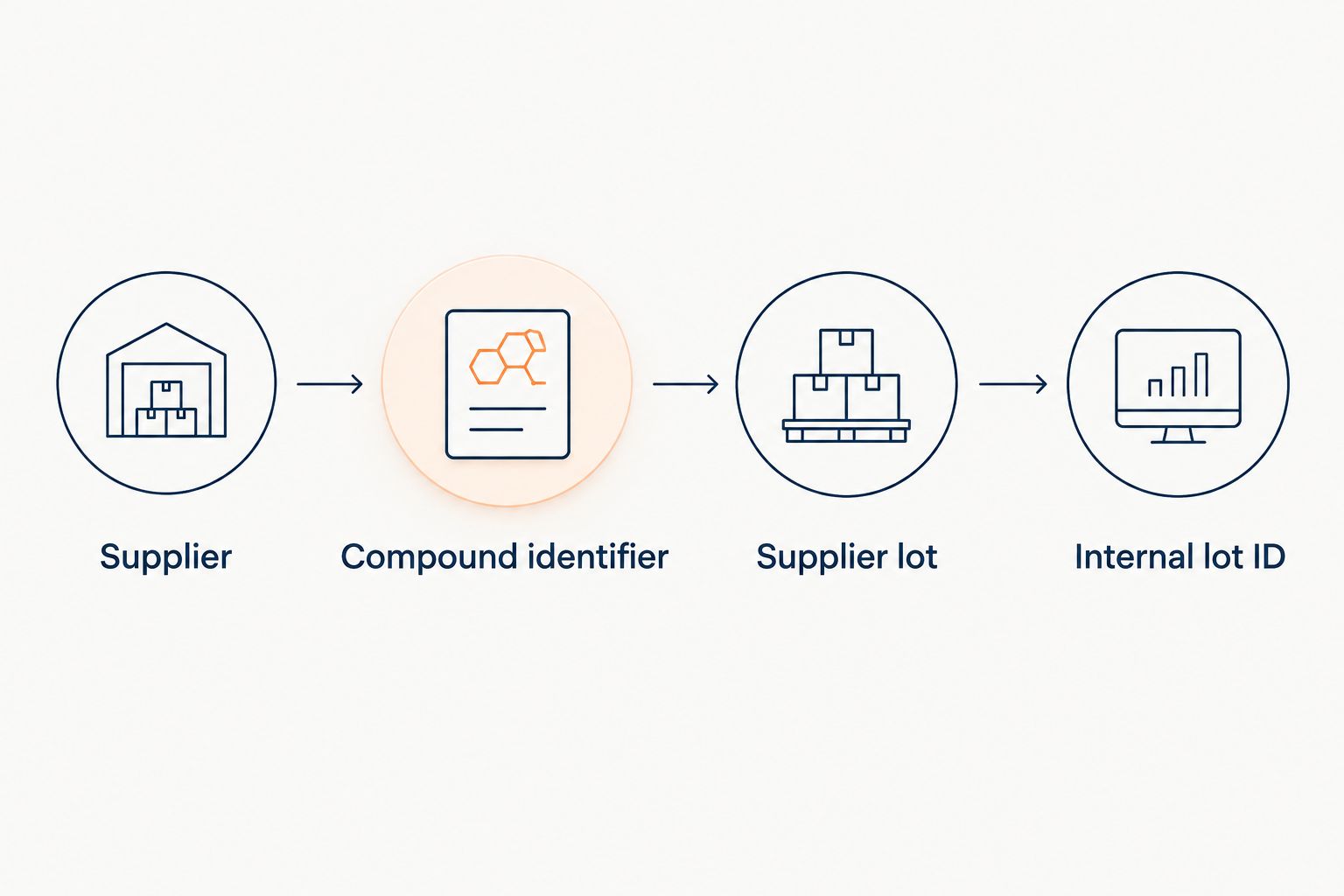
- Define Supplier, Compound identifier, and Supplier lot as separate fields. Preserve the supplier’s original lot string, including leading zeros, punctuation, and letter case.
- Establish Internal lot ID as the laboratory-controlled reference. Configure 1 lot record per distinct supplier–compound–lot combination, with separate receipt records when that lot arrives again.
- Add Receipt reference and Received date. These fields connect certificate review to a receiving event without confusing the receipt date with the certificate’s issue date.
- Add Review status, Reviewer, and Review date. Use your laboratory’s approved status vocabulary and permission rules rather than introducing an unofficial release process.
- Configure required-field checks before enabling routine intake. A record without a supplier lot should enter an exception queue, not receive a guessed identifier.
Expected result: you can identify the material independently of its attached certificate and distinguish repeated receipts from genuinely different lots.
For the 2026 configuration baseline, record the field definitions and mapping owner in your controlled procedure. A later administrator should understand whether a field contains supplier text, a laboratory identifier, or an extracted analytical result.
Certificate and evidence configuration
Retain the source certificate before transcribing its contents. A structured result without its source document leaves the next reviewer unable to check the interpretation.
- Create an attachment or controlled document reference associated with the lot record. Retain the original file and record Source location and Retrieved date; a live web link alone does not preserve the document you reviewed.
- Add Certificate identifier, Certificate issue date, and Document revision when the certificate provides them. Leave absent information explicitly unreported rather than substituting the download date or filename.
- Match the certificate’s compound and lot against the received label. Resolve discrepancies before assigning the certificate to the lot’s reviewed evidence set.
- Record HPLC evidence and Mass-spec evidence separately. Capture the reported method description, result wording, and supporting page or report reference where provided.
- Preserve result units and qualifiers exactly when transcribing analytical observations. Do not convert an identity statement into a quantitative result or infer an unreported assay from another test.
Expected result: a reviewer can open the retained certificate from the lot record and trace each entered observation back to the corresponding evidence.
HPLC separates components under specified chromatographic conditions. Mass spectrometry measures mass-to-charge signals that support an identity assessment; neither technique, by itself, establishes every attribute relevant to a research material.
For Strandaminos research peptides, review the specific published certificate rather than carrying a general supplier claim into every lot record. Record what that document reports, what supporting material it contains, and what your reviewer actually checked.
Keep 1 current reviewed certificate reference for each applicable certificate type, while retaining superseded versions. Do not impose an artificial expiry date on a COA; apply your laboratory’s documented requirements for review, storage history, and additional evidence.
Intake and review configuration
Connect document intake to review without allowing an import to approve itself. The same separation applies whether you type the fields, import a structured file, or use a supported API.
- Define the intake event: a newly received lot, an uploaded certificate, or an approved receiving record. Choose an event your actual system supports; do not assume a supplier webhook exists.
- Map incoming supplier, compound, and lot fields to the lot record. Preserve the raw incoming values alongside any normalized matching values.
- Configure duplicate checks using the material relationship and certificate revision, not the filename alone. Send uncertain matches to a reviewer instead of choosing the closest-looking lot.
- Route complete records for document review. Route missing files, missing lot identifiers, and conflicting compound names to an exception queue with a named owner.
- Restrict final review decisions to authorized users. Retain the decision, reviewer identity, date, and rationale through the LIMS history or a controlled review record supported by your installation.
Expected result: intake creates or updates a traceable record, while a separate authorized action records the review outcome.
For your 2026 deployment, test 3 cases: a matching certificate, a mismatched lot, and a duplicate submission. These are recommended acceptance tests, not a claim about your software’s built-in validation.
The matching case should reach review with the correct attachment. The mismatched case should stop for resolution, and the duplicate case should avoid creating another equivalent document record.
Do not enable unattended intake until all test cases produce the documented outcomes. Preserve the test evidence with your configuration record so later changes can be checked against the same expectations.
Updated-certificate workflow
A second useful workflow begins when a certificate changes after initial review. Treat this as document revision management, not another receipt of material.
- Retain the incoming certificate as a new document revision linked to the existing lot. Preserve the previously reviewed file and its review history.
- Compare identifiers, report dates, methods, result statements, and supporting pages. Record the reason for revision when supplied; request clarification when a material change is unexplained.
- Route the revised document for review and identify dependent records that require assessment under your laboratory’s procedure.
- Update the current reviewed reference only after the review decision. Keep unresolved revisions visible without silently replacing the accepted evidence.
Expected result: the lot retains its document history, and reviewers can determine which certificate supported an earlier decision.
Include revision handling in your 2026 acceptance tests. A changed filename is not proof of changed analytical content, and an unchanged filename is not proof that the file stayed the same.
Where your system supports document checksums, use them to help detect identical files. A checksum comparison establishes file equality or difference; it does not establish certificate authenticity or analytical validity.
Troubleshooting
The supplier lot loses leading zeros
A spreadsheet or import process has interpreted the lot identifier as a number. Set the source and destination fields to text, restore the identifier from the original label, and repeat the import test before processing more records.
The COA opens from the supplier site but not from the LIMS
The record contains an external link rather than a retained file, or attachment permissions exclude the reviewer. Check access with the reviewer’s account and retain the source document through an approved attachment or document-management route.
Optical character recognition changes the compound or lot
OCR has confused characters or combined text from adjacent fields. Keep extracted values provisional, compare them with the visible certificate and received label, and require manual resolution when identifiers disagree.
Repeated intake creates duplicate certificates
The matching rule uses upload time or filename instead of document identity and lot relationship. Revise the rule to recognize an existing lot–certificate revision association, and preserve a log of skipped duplicates for review.
A successful import marks the material as approved
The workflow has combined technical completion with scientific review. Separate the import outcome from the authorized review decision, then retest permissions so the integration account cannot approve its own submission.
Customize your workflow
Extend the connection from the lot record to container records, inventory transactions, and electronic lab notebook references. Keep the lot record as the shared source of certificate identity rather than uploading independent copies to every downstream record.
For Strandaminos materials, preserve the same supplier–compound–lot relationship throughout receiving and documentation. Research use only. Not for human or veterinary use. A connected certificate does not expand the material’s intended use or establish suitability for a particular experiment.
Use the COA-to-lab-records workflow to structure the next documentation step. Your 2026 review should check traceability, permissions, retained evidence, and exception ownership—not just whether the connection runs without an error.
FAQ
How do I connect peptide COA records to my LIMS?
Create a lot-level record, retain the original certificate, map its identifiers and analytical evidence, and route the record for authorized review. Use manual entry, structured import, or a documented API according to your LIMS capabilities.
Do I need an API to attach peptide certificates to a LIMS?
No. Controlled manual entry or a supported file import can connect certificate records to material lots. An API is appropriate only when the required interfaces, permissions, and maintenance ownership are established.
Which identifier should link a peptide COA to inventory?
Use an internal lot reference tied to the supplier, compound identifier, and supplier lot. A compound name or certificate filename alone does not uniquely identify the received material.
Does an HPLC report replace mass-spec identity evidence?
No. HPLC and mass spectrometry provide different analytical information. Preserve each report’s actual findings and assess them against your laboratory’s requirements rather than treating the methods as interchangeable.
Can OCR approve a peptide certificate automatically?
OCR extracts text; it does not establish certificate authenticity or analytical acceptability. Check extracted identifiers against the source document and keep approval under the laboratory’s authorized review process.
What should happen when a supplier revises a COA?
Retain the revised certificate alongside the earlier version and route the change for review. Update the current reviewed reference only after the decision, while preserving the evidence behind previous decisions.
Does connecting a COA make a research peptide suitable for human use?
No. Connecting a certificate creates a documentation relationship, not evidence of suitability for human or veterinary use. Research use only. Not for human or veterinary use.
One last thing
Test whether you can reconstruct the earlier decision, not just retrieve the latest file. Open a previously reviewed lot and identify the certificate revision, reviewer, and evidence available at that time. If the system shows only today’s attachment, fix revision retention before expanding automation.